Top Google Ads Extensions You Should Use in 2025 (Complete Guide)
It’s not going to be about catchy headlines or strong keywords running a successful campaign through Google Ads in the year 2025; rather, it is giving the users more reason to click. This is where Google Ads extensions come into play.
Whether it’s retail, a local business, or even service-based brands, the extensions can really drive your click-through rate and visibility without raising CPCs.
In this article, we will indicate which Google Ads extensions work best in 2025, ways you can use them, and pro tips on how to optimize the results.
1. What are Google Ads Extensions?
Ad extensions are a way to expand your ad with additional information, such as links, phone numbers, prices, or promotions.
They make your ad more interesting, specific, and reliable.
Why do they matter?
- Improvement up to 20–30% in CTR
- Take more space on the search result indices.
- Deliver features that users will appreciate directly inside the ad, be it location or special offers.
- Sell yourself: Be unique from the competition.
Otherwise said, ad extensions make your ads more clickable and hence effective.
2. Why use ad extensions in 2025?
Each minute, Google Ads change, and with 2025, extensions come as game changers to perform better and improve ad ranking.
Here is why they will be indispensable this year:
- Enhanced visibility: Extended ads take up more real estate on screen.
- Better Quality Score: Extensions tend to increase ad relevance, therefore improving user experience.
- Increased engagement: just means more interest, therefore more engagement.
- AI optimization: Google’s AI will automatically show the best performing extensions.
Therefore, if you do not use them yet, then it’s high time to get them running.
3. Top Google Ads Extensions You Should Use in 2025
Here are some of the most engaging ad extensions you might want to use this year to supercharge ad results:
1. Sitelink Extension- Route Users to Key Pages
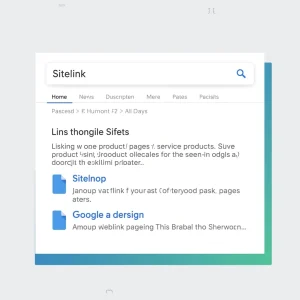
Sitelink extensions are an option for adding more clickable links under the headline of your main ad.
With them, you’ll be able to take people through pages like:
- About Us
- Price
- Blog
- Contact Page
- Special Offers
Why it’s powerful:
- Allows viewers to find what they are looking for quicker.
- Boost CTR by 15–20%
- This allows any number of bids to be simultaneously displayed.
Example:
Main Advertisement: “Digital Marketing for Small Business”
Sitelinks: “SEO Packages” | “Social Media Ads” | “Get Free Audit” | “Client Reviews”
Pro Tip: This appearance works best with at least 4 sitelinks.
2. Callout Extensions – Elaborate Benefits or Features
What it does: Callout extensions are short phases depicting features, benefits, or offers.
Examples:
- “24/7 Customer Service”
- “Free Consultation”
- “No Setup Fees”
Why it works:
- Builds trust and credibility.
- Come up with unique selling points quickly.
- Perfectly suitable for competitive e-commerce, travel, and financial services.
Pro Tip: Action-driven words work best, and keep each callout under 25 characters.
3. Structured Snippet Extensions: Drawing Out Key Information
What it does:
Structured snippets will allow highlighting certain categories of products or services.
Example for a digital agency:
- Overview of Services
- Values: SEO, PPC, Social Media, Web Design –
Why it’s great:
- It informs and gives a background to your ad.
- This, in turn, helps the user understand what you are offering right away.
- Improve ad relevance for Google’s algorithm.
Pro Tip: Uniform commas and proper first letter capitalization breed readability.
4. Call Extensions – Get Direct Phone Leads
What it does:
Allows you to add a click-to-call number so users can call you directly.
Ideal for:
local businesses, service providers, or consultants.
Why it works:
- Helps increase conversions with people on their cellphones.
- Creates direct involvement.
- As easily as it will be to get in touch with you straight away.
Pro Tip:
Schedule calls so that your number is shown only during office hours.
5. Location Extensions – Attract Nearby Customer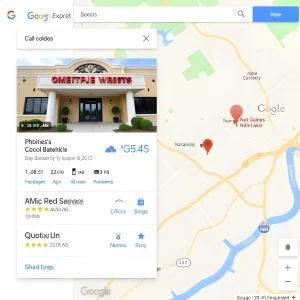
What it does:
It can show your business address and map, and how far you are from them.
Ideal for:
Restaurants, Clinics, Gyms, or local service providers
Why it matters:
- Provides credibility and instills trust.
- Connect your ads to your Google Business Profile:
Pro Tip:
Connect your Google Business Profile to ensure accurate map placement.
6. Price Extensions – Be Transparent Upfront
What it does:
Price extensions allow showing the prices of your product or service right under your ad.
Example:
- Website Design: $499 and up
- SEO Packages – $199/month and UP
Why it changes:
- This approach builds trust and transparency.
- It pre-qualifies users who could afford your service.
- Eliminates unqualified clicks.
Pro Tip:
Usage of currency symbols, same format; appeal professionally.
7. Promotion Extensions-Highlight Offers or Discounts
What it does:
Also, showcase your sales, discounts, or promotions directly within your ad.
Example:
- Avail 25% off on all the SEO plans. Please use code SEO25.
Why it works:
- Urgency created, fast clicks generated.
- Ideal for seasonal campaigns: Diwali, Christmas.
- By default, Google adds an icon to a tag so that it stands out.
Pro Tip:
Use a range date in promotional plans for a limited time; this creates urgency.
8. Lead Form Extensions: Capture Leads Instantly
What it does:
Allow users to send the form from the advert directly to you without the user having to go onto your website.
Why it works:
- This decreases friction within the conversion funnel.
- Very handy for mobile users.
- Ideal for B2B, coaching, and service-based businesses.
Pro Tip
Offer a lead magnet like a free guide or demo to encourage sign-ups.
9. Image Extensions: Give Your Ads Visual Touch
What it does:
This therefore allows the addition of images on your search ads for better attention.
Why it’s powerful:
- Greatly enhances CTR.
- Ideal for e-commerce and traveling industries.
Pro Tip:
High-quality, on-brand photography, shot at sizes in line with Google’s sizing recommendations.
10. App Extensions – Drive Mobile App Installs
What it does:
Adds a download button below your ad to promote your mobile app.
Why it’s great:
- Boost app downloads directly.
- Ideal for SaaS, e-commerce, or gaming brands.
Pro Tip:
Target only mobile-only audiences for better conversions.
11. Affiliate Location Extensions – Great for Retail Brands
What it does:
It shows retail outlets in area in which product is sold.
Example:
If, for instance, you are selling laptops, Google will show where locally your brand is stocked.
Why It’s Useful:
- Boosts in-store sales.
- Helps brand manufacturers partner with local retailers.
Pro Tip:
Great for brands that have a lot of physical locations or franchise stores.
4. How to Add Extensions in Google Ads: Quick Steps

Here’s how to set them up:
- Log into your Google Ads dashboard.
- Choose your campaign or ad group.
- Click “Ads & Extensions” → “Extensions.”
- Choose the type of extension to select, such as sitelink, call, promotion.
- Fill in the necessary details and save.
- Preview your ad to ensure proper formatting.
Google’s AI automatically selects and displays for each user the best performing extensions.
5. Best Practices for Google Ads Extensions in 2025
To get the most out of your extensions:
- Combined use of multiple extensions.
Google likes to prioritize those ads using a mix of sitelinks, callouts, and images.
- Keep text short and focused.
Users should get why you’re valuable immediately.
- Test different variations routinely.
A/B test sitelinks, prices, and callouts to determine winners.
- Ensure consistency with landing pages.
Your ad promises must be reflected in your website.
- Performance metrics should be monitored.
Track CTR, conversion rate, and engagement for every type of extension.
6. The Future of Google Ads Extensions in 2025 and Beyond
With AI integration and automation, Google is now optimizing extensions automatically regarding the user’s intention, device, and location.
In 2025, expect more intelligent features to be:
- AI-generated callouts and snippets.
- Predictive personalisation.
- Auto-refreshing promotions linked to live sales.
This way, investing time in mastering extensions now will future-proof your ad strategy.
7. Conclusion: Lift Your Google Ads Performance
Google Ads Performance Google Ads extensions aren’t just “extras,” but a way to boost performance and turn average ads into high-converting ones.
In a nutshell,
- Use sitelinks to help users navigate.
- Add callouts and snippets for details.
- Include promotions and price for better visibility.
- Establish AI-powered lead forms and image extensions to maintain engagement.
Start testing these top extensions today and watch your CTR and conversions soar in 2025.