
Small Business Guide to Affordable Google Ads Campaigns
A Beginner’s Guide to Online Advertising That Works
In today’s fast-moving digital world, no small business can afford to be invisible online. But let’s face it: advertising can get really expensive, fast.
That’s where Google Ads comes in; it is a powerful means of reaching out to prospective customers, even on a small budget.
In this 2025 guide, we’ll break down precisely how small businesses can run affordable, high-performing Google Ads campaigns-from keyword selection to smart bidding strategies that stretch your budget further.
1. Why Google Ads Is Perfect for Small Businesses
Google Ads, earlier known as Google AdWords, is a pay-per-click advertising system wherein you pay only when somebody clicks on your ad.
Key Benefits for Small Businesses: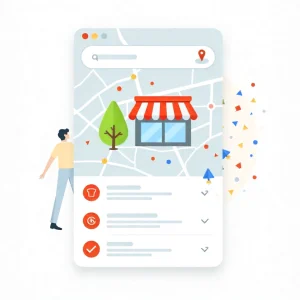
- Instant visibility: Show up instantly in the search results.
- Flexible budget: Starting as low as ₹300–₹500 per day.
- Local Targeting: Only show ads to customers near your business.
- Measurable results: Each click, impression, and conversion will be tracked.
Quite simply, you’re in control of your spending and outcomes.
2. How Google Ads Works
To effectively make your ads inexpensive, you need to understand the basics of how Google Ads works.
This means that every time a user searches for a keyword-like “best bakery near me”-there is essentially an auction between various advertisers for that keyword.
Two major factors determine your ad rank:
- Your Bid: The price you’ll pay for each click.
- Quality Score: Relevance and usefulness of your ad.
Ad Rank = Bid × Quality Score
The better your ad quality, the less you’ll pay for each click — even if your competitors bid more.
3. Establish a Realistic Budget for Google Ads
The beauty of Google Ads is that you can start small.
What’s important is to focus your strategy correctly, even on a limited budget, even a small business can be very successful.
Tips for Budget Planning:
- Begin with the daily budget you can afford: ₹300–₹1000/day.
- Run Ads only on certain days or hours when customers are active.
- Focus on local areas to eliminate irrelevant regions’ wasted clicks.
- Cut wasteful weekly spend-stop spending on underperforming keywords.
4. Choosing the Correct Campaign Type
Not all Google Ads campaigns are alike. Choose the one that best matches your business goals.
a. Search Ads
Appear at the top of Google’s search results for your product or service.
Best for: Local businesses, services, or products with clear intent.
b. Display Ads
Display banner ads on websites across the Google Display Network.
Best for: Building brand awareness.
c. Shopping Ads
Display images of products, along with price and store information.
Best for: eCommerce or retail stores.
d. Local Services Ads
Ideal for businesses such as plumbers, electricians, salons, and more.
Best for: Generating verified leads from nearby customers.
5. Keyword Research: Key to Affordable Ads
The keywords you target determine how much you pay.
Tips to Find Affordable Keywords:
- Long-tail keywords-for example, “affordable bakery in Pune” instead of “bakery.”
- Avoid highly competitive keywords with high CPC.
- Find those low-cost, high-intent keywords by utilizing Google Keyword Planner.
- Add negative keywords to filter out irrelevant traffic, including “free,” “jobs,” etc.
Example:
If you run a yoga studio, target “yoga classes near me” instead of “yoga.”
This will also help in attracting the right audience-and all that at a lower cost.
6. Write High-Quality, Clickable Ads

A well-written ad can indeed help you improve your CTR and Quality Score, both of which lower your CPC.
How to Write Affordable Yet Powerful Ads:
- Include target keywords in the headline.
- Emphasize unique selling points, such as “Free Trial” or “Same-Day Delivery.”
- Include a clear call to action, like “Book Now,” “Get a Quote,” etc.
- Use emotional triggers such as the words “Exclusive”, “Limited Offer”, or “Trusted by Locals”.
Example Ad:
Headline: “Affordable Yoga Classes Near You | First Class Free”
Description: “Join certified trainers, small groups, flexible timings, and beginner-friendly sessions. Book your free trial today!”
7. Use Ad Extensions for More Visibility
Ad extensions create bigger, more informative ads that are more clickable, too-with no extra cost.
Best Extensions for Small Businesses:
Location Extension: It shows your address and map pin.
Call Extension: Allows users to call directly from the ad.
Sitelink Extension: Links to key pages like “About,” “Pricing,” or “Contact.”
Review Extension: This displays customer ratings or reviews.
The more useful info your ad provides, the higher your CTR — and the lower your cost.
8. Optimize Your Landing Pages for Conversions
Even the best ad will fall short if your landing page can’t fulfill.
Landing Page Optimization Tips:
- Match headline to landing page title (consistency).
- Keep your page speed less than 3 seconds.
- Include a clear CTA button (“Buy Now,” “Book Free Demo”).
- Below that, place social proof: testimonials, reviews, or trust badges.
- Keep the design clean and mobile-friendly.
Pro Tip: A great landing page is capable of doubling your conversions without extra ad spend.
9. Smart Bidding for Small Budgets
While Google has automated bidding strategies, not all suit small businesses.
Here’s what works best ?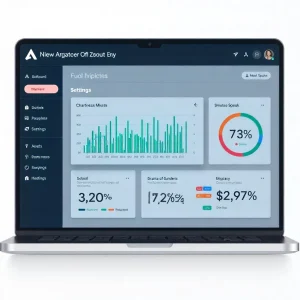
a. Manual CPC
You manage the bids of each keyword manually. Perfect for learning and testing.
b. Maximize Clicks
Google automatically adjusts your bid to get as many clicks as possible within your budget.
c. Target CPA (Cost Per Acquisition)
Focuses on getting conversions at your target cost.
Pro Tip: Always start with Manual CPC, and then move to Automated Bidding once you have accumulated enough data.
10. Track and Improve Your Campaign Performance
Never “set and forget” Google Ads Campaigns. Regular monitoring will save you money.
Metrics to Track:
- CTR: Higher = Better ad quality
- CPC: The lower it is, the more efficient the campaign is.
- Conversion Rate: The percentage of users who completed an action.
- Quality Score: Google’s measure of ad relevance. Aim for 7+.
Weekly Optimization Tips:
- Pause low-performing keywords.
- Add new negative keywords.
- A/B test different ad copies.
- Adjust bids for best-performing keywords.
11. Bonus: Use Local Targeting to Save More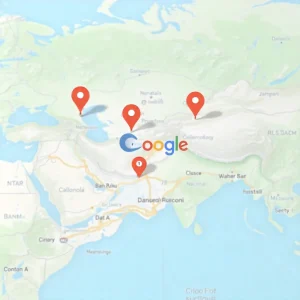
They are targeting only their service areas, hence local businesses will save big.
Examples:
Salon in Jaipur can run ads only amongst users that fall within a radius of 10 Km.
A Delhi café can target users who are looking for “cafés near me.”
Benefits:
- Higher relevance
- Lower CPC
- Better conversion rates
12. Common Mistakes That Waste Your Budget
Avoid these traps that suck your ad spend…
- Avoid using broad match keywords without any filters.
- Sending traffic to your home page instead of a landing page.
- Completely ignored negative keywords.
- Not tracking of conversions.
- Not testing different ad copies.
13. Conclusion: Affordable Google Ads Are 100% Possible
Running Google Ads with a small budget isn’t just possible; it’s smart marketing when done right.
- Here’s your success formula for 2025:
- Start small but be consistent.
- Focus on long-tail, local, and high-intent keywords.
- Improve ad relevance and landing page experience.
- Data and automation help you continue to improve your strategy.
With these steps, your small business can achieve big results with affordable Google Ads campaigns that attract customers, increase sales, and grow your brand in 2025 and beyond.